Mastering Real Estate Roll-Up Banner Signage
Standing out at a crowded open house or industry expo requires more than just a confident handshake; it demands visual authority. In the competitive world of property sales, your physical marketing materials act as silent salespeople, working tirelessly to capture attention before you even speak. This is where the power of high-quality signage comes into play, specifically the versatile and effective roll-up banner. However, many agents and agencies struggle with the gap between a professional concept and a finished product. You might have a fantastic property listing or a strong personal brand, but translating that into a large-format print without hiring a design agency can be a headache. This is exactly why having access to a robust, editable template system is a game-changer for modern real estate professionals.
The Anatomy of a High-Impact Corporate Roll Up Banner Template
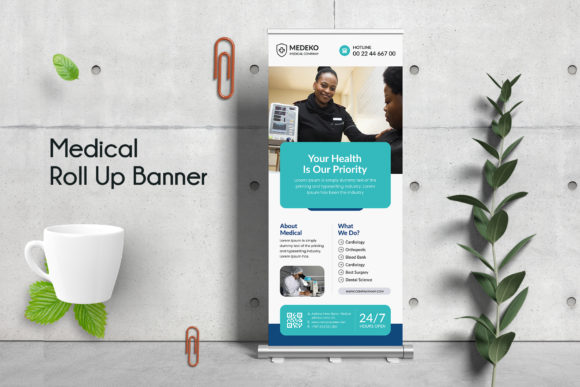
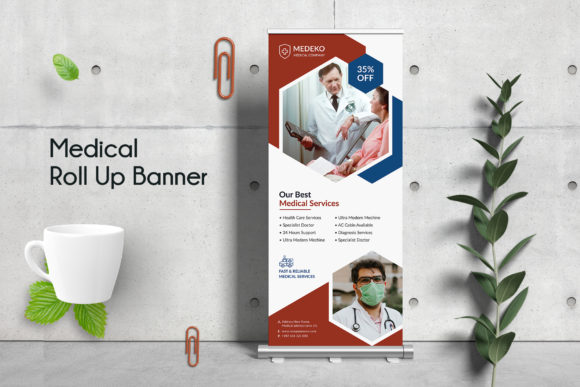
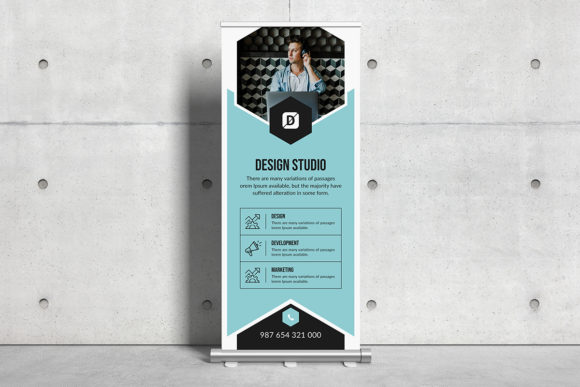
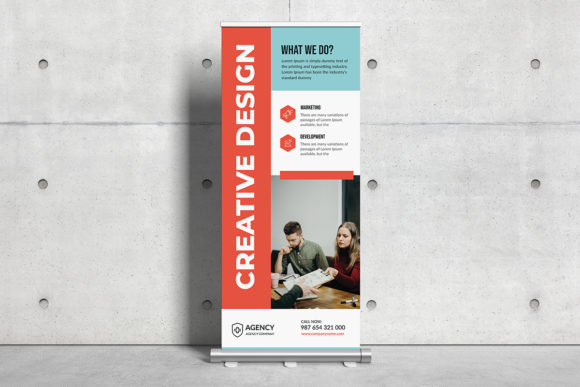
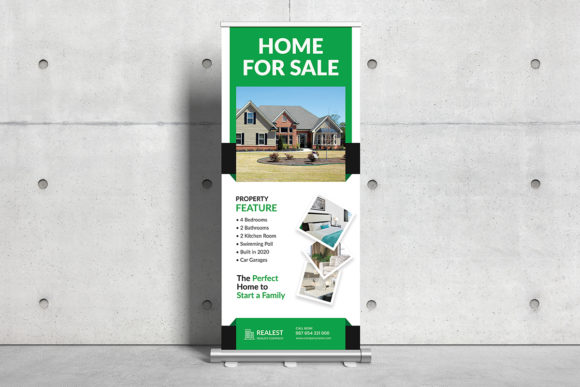
When we talk about "Real Estate Roll-Up Banner Signage," we aren't just discussing a piece of plastic with text on it. We are talking about a strategic design asset. The template mentioned here—a Corporate Roll Up Banner Template designed in Adobe Photoshop—is built with specific marketing goals in mind. It bridges the gap between amateur graphics and professional advertising. The visual appeal comes from its structure: clean lines, organized layers, and a layout that guides the viewer’s eye from the headline down to the call to action.
What makes this particular design approach effective is its adherence to print-ready standards. For anyone who has ever dealt with a printer rejecting a file because of low resolution or incorrect color codes, the features of this template provide immediate relief. It operates in CMYK color mode, which is the standard for professional printing, ensuring that the deep blues or vibrant greens you see on your screen match the final output. Furthermore, at 150 DPI and a massive 30 x 70 inches, it offers the high resolution necessary for large-format viewing. You don't want a pixelated logo when a potential buyer steps up close to ask about a listing. The inclusion of a 0.25-inch bleed is also crucial; this ensures that if the cutting machine shifts slightly during production, you won't end up with an awkward white border on the edge of your design.
Streamlining Your Workflow: The Editable PSD Advantage
For the small business owner or the solo entrepreneur, time is the most valuable currency. You might need signage for a last-minute event, a new open house, or a rebranding effort. This is where the "Fully Editable, Layered" feature of the PSD file shines. Because all layers are properly organized, you aren't digging through a mess of unnamed elements to find the text box for your phone number.
Consider the practical application of the Smart Object feature. In Photoshop, Smart Objects allow you to swap out images or logos without destroying the original quality of the design. If you have a headshot that needs replacing or a partner agency’s logo that needs to be added, you simply drag and drop into the designated layer. This flexibility transforms the template from a static image into a dynamic marketing tool. It allows you to customize the signage for different properties or different agents within your brokerage while maintaining a consistent corporate identity. This is the essence of modern typography and design assets working together—efficiency without sacrificing quality.
Beyond the Banner: Maximizing Your Marketing Assets
While the primary function of this file is to create physical signage, a smart designer knows that assets should be repurposed. The design principles used in a roll-up banner—hierarchy, contrast, and brevity—are the same principles needed for other marketing materials. Once you have customized this template, you have essentially built a visual language that can be adapted across multiple platforms.
Think about your digital presence. The high-resolution nature of this PSD file means you can crop specific sections for social media graphics. The area featuring your contact info and headshot? That becomes your new LinkedIn banner. The section highlighting your brand colors and logo? That can be adapted for a website header or a blog graphic. Because the file uses popular, free fonts (specifically Google Fonts), you can easily replicate the typography on your website or in email newsletters to ensure visual consistency. This cross-channel consistency is vital for brand recognition. When a client sees the same professional aesthetic on your Instagram story as they do on the pop-up banner at your open house, it builds trust and reinforces your brand identity.
Typography and Readability: The Unsung Heroes
One of the most overlooked aspects of signage design is font selection. A banner that is visually busy or uses a hard-to-read script font can actually repel customers. The template’s use of "totally free and popular fonts" is a strategic choice. In the context of a roll-up banner, readability is paramount. You need a typeface that can be read from ten feet away.
When editing this template, pay close attention to the font pairing. Typically, a strong roll-up banner uses a sans-serif font for headlines because of its clean, bold look, and perhaps a serif font for smaller details if a classic feel is desired. However, for real estate, clarity usually trumps flourish. The template likely utilizes a modern typography style that balances professionalism with approachability. As you edit the text, ensure that the contrast between the font color and the background remains high. If you decide to change the background image to a darker photo of a property, you may need to switch your text to white or add a subtle overlay to ensure the letters don't get lost.
Practical Advice for Finalizing Your Design
Before you send this file off to the printer, there are a few practical steps to ensure the best result. First, remember the note: "Photos are not included." This is standard for templates to avoid copyright issues and keep file sizes manageable. You must supply your own high-quality images. Do not pull a thumbnail image from a listing site and try to blow it up to fit the 30x70 inch canvas; it will look blurry. Use high-resolution photography.
Secondly, review the licensing. While the fonts used are free for commercial use, always double-check the terms if you are modifying the design for a client or for merchandise. Since this is a Corporate Roll Up Banner Template, it is designed for commercial advertising, but being mindful of usage rights is part of being a professional designer.
Finally, test your design at a small scale before printing large. Print a standard letter-size version of the banner to check for spelling errors and visual balance. Sometimes, an element that looks centered on a monitor feels slightly off when printed. By utilizing the organized layers and smart objects, you can make these micro-adjustments quickly. Whether you are a real estate agent looking to elevate your open house presence or a graphic designer streamlining your client workflow, this template provides the foundation for high-quality, impactful visual communication. It’s not just about printing a sign; it’s about projecting professionalism and capturing leads through superior design.